If you've been putting off a smart home upgrade because it sounds expensive or complicated, here's the good news: most of the easiest wins take an afternoon, not a renovation. This guide is for anyone furnishing or refreshing an Australian home whether you own or rent, in an apartment or a house who wants everyday convenience without ripping into walls or hiring an electrician for every step. Below are 10 practical smart home upgrades, plus something most guides skip entirely: the furniture that actually makes each one work in real life, not just in the showroom photo.
Why "Smart Home" Isn't Just About the Tech
Most smart home guides focus purely on the gadgets the bulb, the plug, the speaker. What they leave out is where that gadget actually lives. A smart hub sitting on a cluttered shelf with three visible cables doesn't feel smart, it feels messy. A smart TV with no cable management behind it undercuts the whole point of the upgrade, and a video doorbell's base station shoved into a drawer defeats the purpose of having it at all. The furniture around your smart devices is what turns "a bunch of gadgets" into an actual smart home a place where the technology disappears into the room instead of sitting on top of it. That's the piece we'll cover alongside each upgrade below.
How Much Does It Cost to Get Started?
You don't need to buy everything at once. A single smart bulb or plug typically costs under $30, making it an easy first purchase to test whether the habit sticks. A smart speaker or hub sits in the $50–$150 range depending on brand, and a video doorbell usually starts around $100–$200. Most people build a smart home gradually one or two devices a month rather than furnishing the whole house in a single order, which also gives you time to check what you actually use before spending more.
1. Smart Lighting
Smart bulbs and light strips are the easiest starting point no wiring changes, just screw in a bulb and connect it to your Wi-Fi. Set schedules, dim remotely, or control everything by voice. They work in your existing lamps and fittings, so a console table or side lamp table with a nearby power point is often all you need to add a smart lamp to an entryway or living room.

2. Smart Plugs
If you want a quick win without buying new appliances, a smart plug is it. Plug your lamp, fan, or heater into it, and you can schedule or remotely control something that was never designed to be "smart" in the first place. The catch is access you need a power point that isn't hidden behind heavy furniture, which is where a side table with a lower shelf near the wall makes life easier.
3. Smart TV and Entertainment Setup
A smart TV is often the centrepiece of a connected living room, but it's also where cable clutter is most visible a streaming box, soundbar, gaming console and power board can all end up tangled behind the screen within a week of setup. A good TV unit with a cable management channel or rear cutout keeps all of that out of sight, so the "smart" upgrade actually looks intentional rather than like a tangle of wires behind the screen. It also makes future changes easier swapping a soundbar or adding a new streaming device doesn't mean re-routing everything from scratch.
4. Smart Speakers and Hubs
Your smart speaker or hub is the command centre for the rest of your setup it's what Alexa, Google Home, or Apple HomePod runs through. It needs a stable, central spot: a shelf in a storage unit or a sideboard in the living area works well, since central placement means better voice range throughout the house.
5. Smart Heating and Thermostats
In Australian homes, this usually means smart control for a split-system air conditioner or a portable heater rather than a full central heating retrofit like in the UK, where most existing guides on this topic are written. Smart plugs or dedicated smart controllers let you schedule heating and cooling around when you're actually home, rather than running all day out of habit. Over a year, that kind of scheduling can meaningfully cut energy use without touching your wiring or paying for a full system upgrade — the savings come from timing, not from a more powerful unit.
6. Smart Security and Video Doorbells
A video doorbell lets you see and speak to visitors from your phone, at home or away, and most are designed for simple DIY installation. If you're adding a security hub or base station, an entryway console table gives it a stable, visible spot near the front door without cluttering the hallway.
7. Smart Blinds and Curtains
Motorised blinds that open on a schedule or respond to sunlight are one of the less obvious smart upgrades, but they're genuinely useful for temperature control and privacy. Battery-powered retrofit kits exist for renters who can't install hardwired motors, so this is achievable even without owning the property.
8. Smart Storage Solutions
This is where furniture and tech overlap most directly. A router, modem, and power boards need somewhere to live that isn't the middle of your living room floor or trailing across a hallway. Wardrobes and enclosed storage units with a back cutout for cables let you tuck this hardware away while keeping Wi-Fi signal strength reasonable — avoid burying a router deep inside a fully closed cabinet, as thick timber and metal can weaken the signal noticeably. A shelf near the top of a storage unit, with a small gap for airflow and cable pass-through, is usually the best middle ground between tidy and functional.
9. Smart Bedside Setup
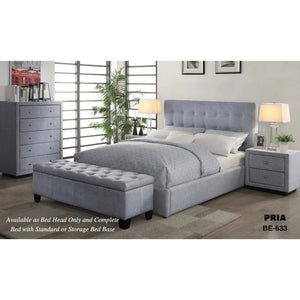
A bedside table with built-in USB or wireless charging removes the need for extra adapters and cables on your nightstand, and it pairs naturally with a smart plug controlling your bedside lamp handy for a gentle wake-up routine or a "goodnight" voice command that switches off the whole room at once. If you're furnishing a bedroom from scratch, beds with built-in storage free up floor space for these extra bedside pieces.
10. Smart Outdoor and Weatherproof Devices
Outdoor-rated smart plugs, lights, and sensors extend your setup to the patio, balcony, or garden, letting you automate exterior lighting or control garden watering from your phone. Always check the IP rating before buying anything for outdoor use a standard indoor smart plug won't survive rain or humidity.
Renting? You Can Still Do This
Most of the upgrades above smart bulbs, plugs, battery-powered blinds, portable smart speakers need no drilling, no rewiring, and no landlord approval, since they either screw into an existing fitting or plug straight into a power point. Skip anything that requires a hardwired install, like a wired video doorbell or a smart light switch, unless you've checked with your property manager first those typically involve altering existing wiring, which most rental agreements don't allow without written consent. The upside of sticking to plug-and-play devices is that everything moves with you: pack the smart plugs and bulbs in a box on moving day, and your next place picks up right where the last one left off.
Conclusion
A smart home isn't just a shopping list of gadgets it's the way those gadgets fit into the furniture and layout you already live with. A brilliant smart TV setup still looks messy without a proper TV unit behind it, and a great smart hub still gets buried if there's nowhere sensible to put it. Start with one or two easy upgrades, like a smart plug or smart bulb, and build from there as you see what actually improves your day-to-day, choosing the furniture around each device as deliberately as the device itself.
Ready to set your smart devices up properly? Browse our Smart Home collection and the TV units and storage furniture that help them disappear into your space, not clutter it.
Frequently Asked Questions
Do I need an electrician to set up a smart home?
Not for most of the upgrades here. Smart bulbs, plugs, speakers, and battery-powered blinds are all plug-and-play. Hardwired smart switches or a wired doorbell may need an electrician.
Can smart home devices work together across brands?
Mostly, yes. Most devices today support Alexa, Google Home, or Apple HomeKit, but it's worth checking compatibility before buying, especially with speakers and hubs.
What's the easiest smart home upgrade to start with?
Smart plugs and smart bulbs. Both are cheap, need no installation, and give an immediate sense of what home automation can do.
Where should I put my Wi-Fi router if I want to hide it?
Somewhere open enough for signal to pass through a storage unit with a back cutout works better than a fully enclosed cabinet, which can weaken the signal.
Are smart home devices worth it for renters?
Yes. Battery-powered and plug-in devices move with you, so you don't lose your investment when you move out.
Do smart devices increase my power bill?
Not meaningfully. Smart hubs and plugs use very little standby power themselves, and the scheduling they enable turning off heating, lights, or appliances automatically usually reduces your overall bill rather than adding to it.